
Your database mate for fast, lightweight desktop work.
QuraMate keeps queries, table browsing, schema work, and safer day-to-day operations in one local-first workspace. Clean enough to start fast, capable enough to stay open all day.
npm i -g quramateLatest version
1.1.7
Supported desktop OS
2
Database engines
11
Price
$0
| ID | NAME | ROLE | CREATED_AT | |
|---|---|---|---|---|
| 1 | Somchai Jaidee | somchai@example.com | admin | 2026-02-28T18:11:03 |
| 2 | Somsri Rakdee | somsri@example.com | user | 2026-02-28T18:11:04 |
| 3 | Mana Maanee | mana@example.com | user | 2026-02-28T18:11:05 |
| 4 | Piti Chujai | piti@example.com | user | 2026-02-28T18:11:06 |
| 5 | Veera Weerachat | veera@example.com | editor | 2026-02-28T18:11:07 |
| 6 | Pranee Sooksan | pranee@example.com | user | 2026-02-28T18:11:08 |
| 7 | Anuson Yodrak | anuson@example.com | user | 2026-02-28T18:11:09 |
| 8 | Kanokwan Srisook | kanokwan@example.com | editor | 2026-02-28T18:11:10 |
| 9 | Kritchai Punyaset | kritchai@example.com | user | 2026-02-28T18:11:11 |
| 10 | Nida Boonsri | nida@example.com | analyst | 2026-02-28T18:11:12 |
Choose the QuraMate workflow that fits your setup.
Inspired by cleaner launch pages: simple choices, obvious next steps, and no noisy detours.
Install the app
Best for desktop teams that want the full QuraMate experience right away.
Available now
macOS and Windows downloads from the latest release.
Desktop app
Download QuraMate
Get the full desktop experience for macOS or Windows with direct release builds.
Terminal
$ npm i -g quramate
Global install
Add QuraMate to your terminal workflow and launch it without opening the full download page first.
quramate --help
CLI install
Use npm globally
Install QuraMate from the terminal and keep it close to the rest of your toolchain.
Show the first-run product experience before users even install.
This section is set up like a clean product story block. I left dedicated visual slots for the two screenshots you want to add next.
Connection screen
Reserve this area for the very first screen users see when QuraMate opens and asks them to connect to a database.
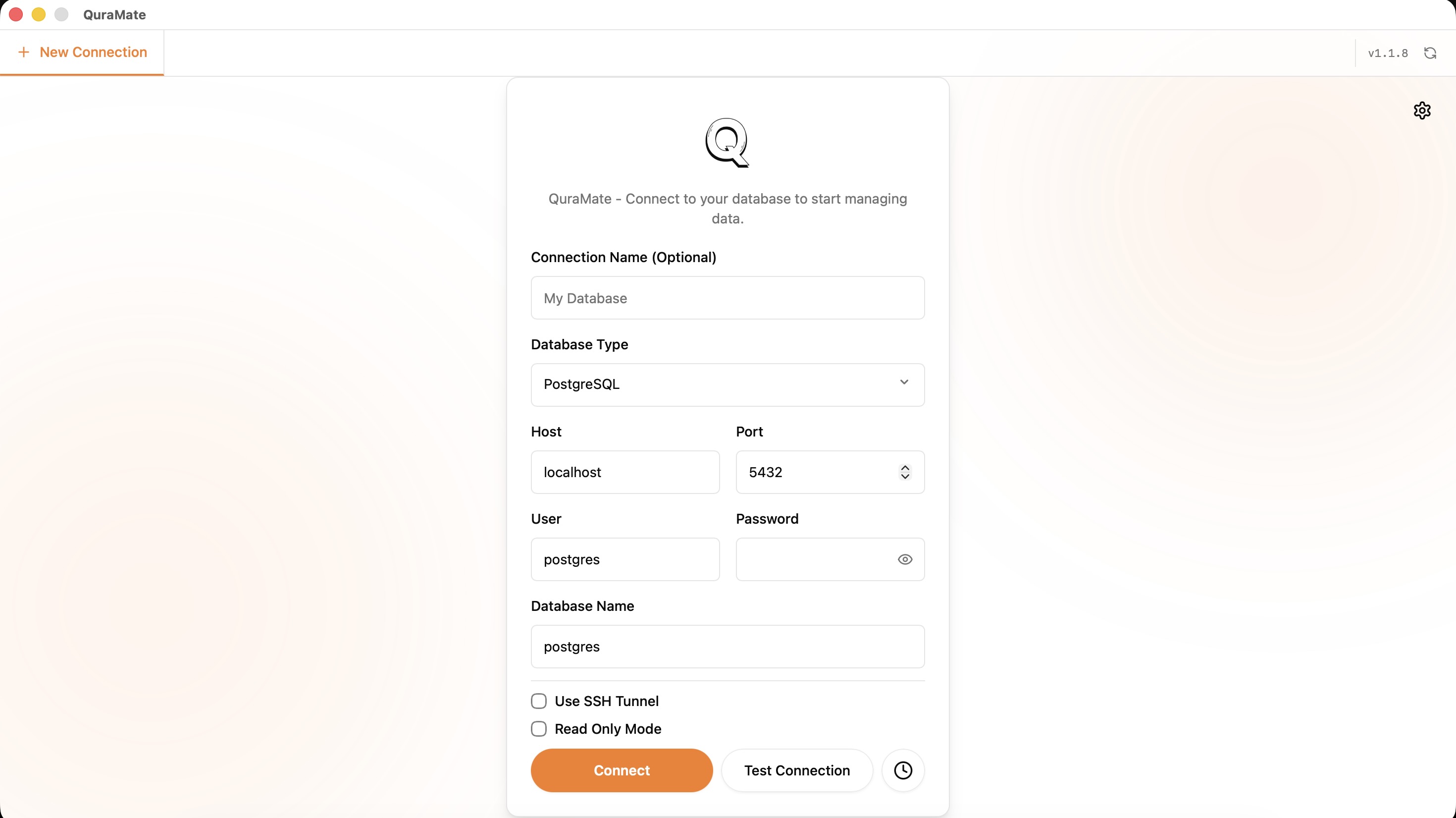
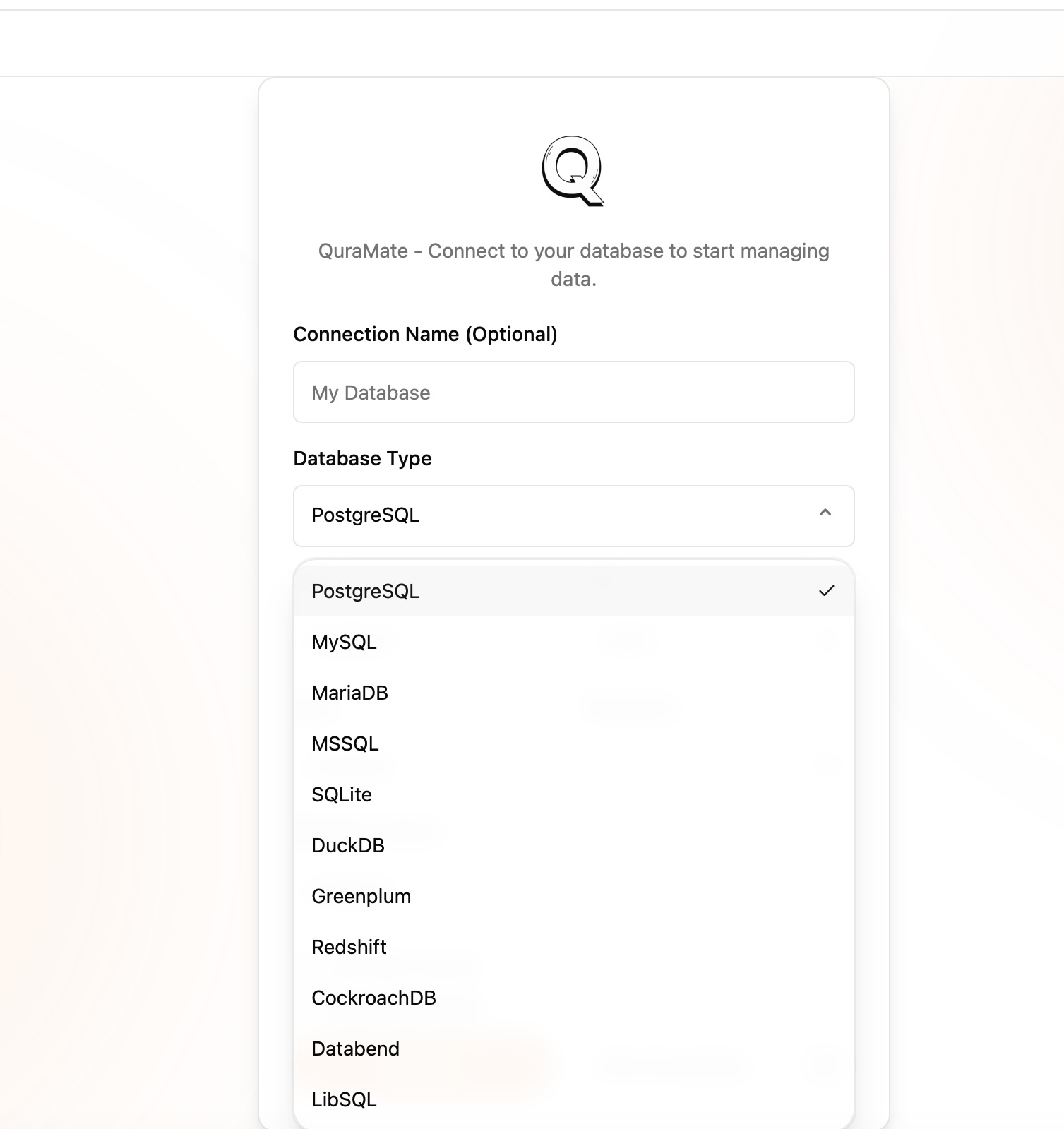
Choose a database type
Use the second visual to show the database picker and make it obvious what QuraMate supports from the start.
Both visuals are live now, so this section can act as a guided product preview before the install CTA.
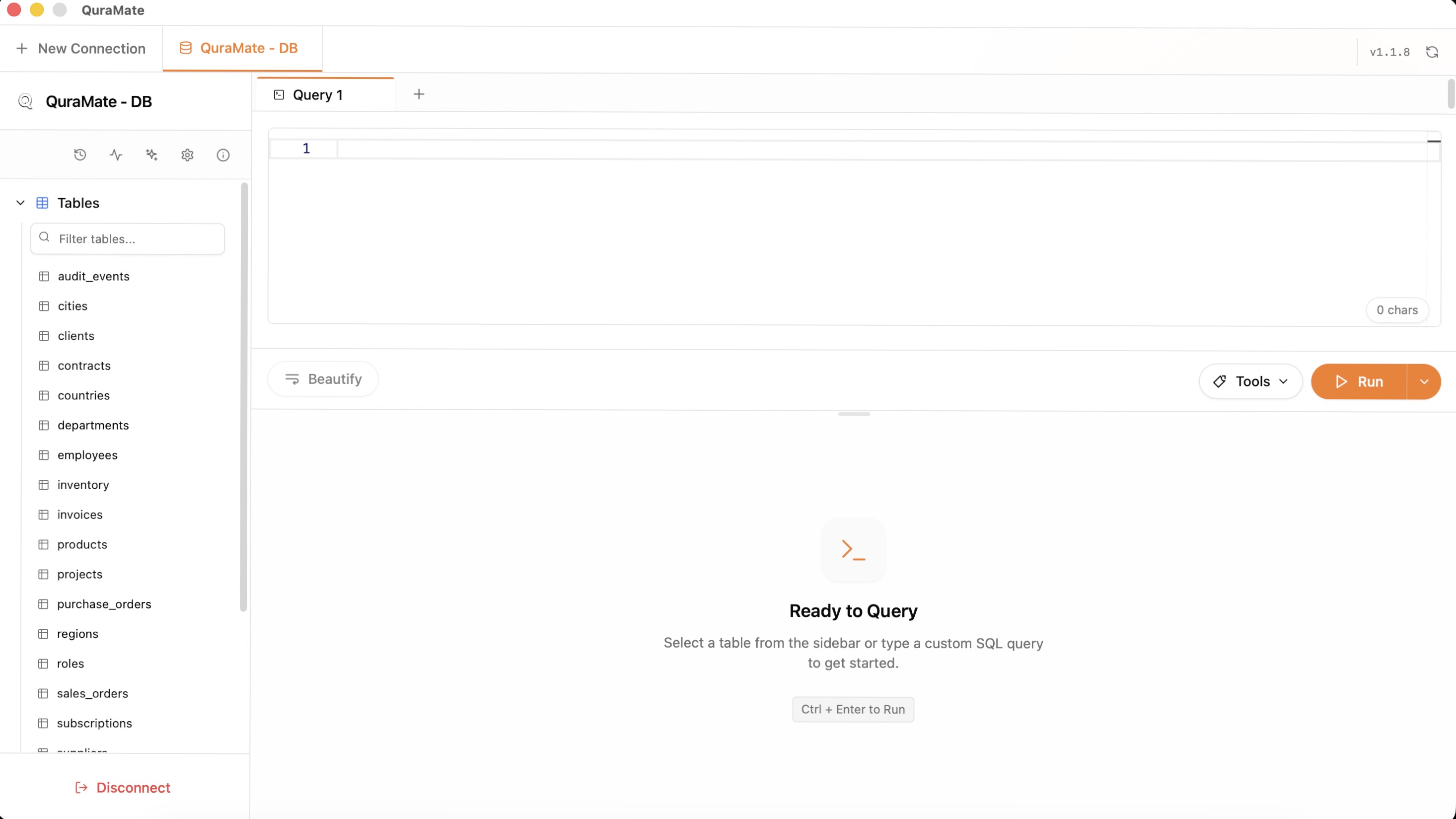
Workspace
Use this block to show the first full workspace users land on after connecting, with the workspace acting as their opening overview.
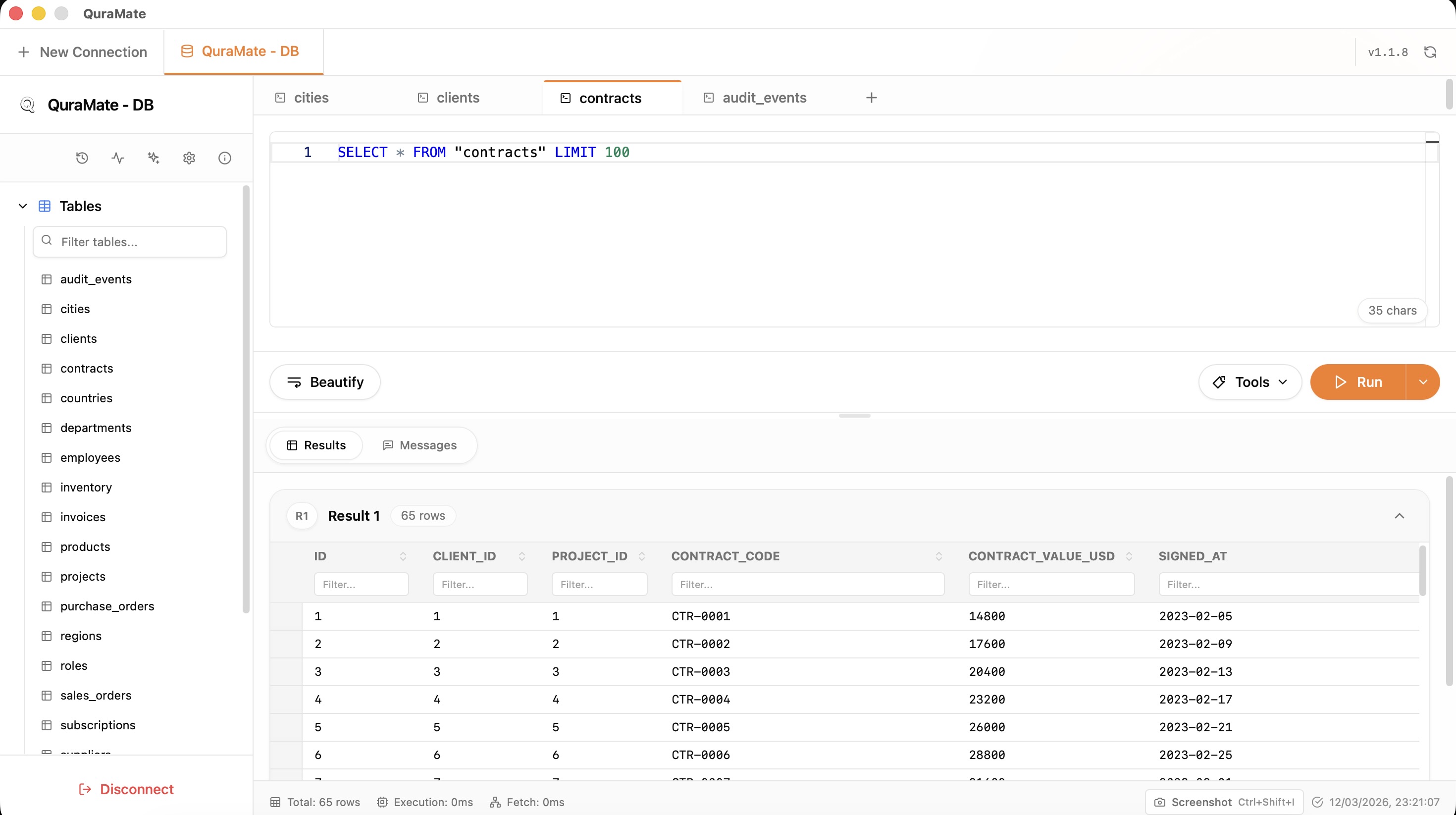
Query results
This visual shows the moment after a query runs, where data comes back immediately and the result grid becomes the center of attention.
Try QuraMate today
You have seen the connection flow, workspace, and query experience. Pick your platform and move straight into the full desktop app.