 QuraMate Docs
Open Transaction Sandbox
From SQL Editor, use Transaction Sandbox when you need to test a write flow safely before committing.
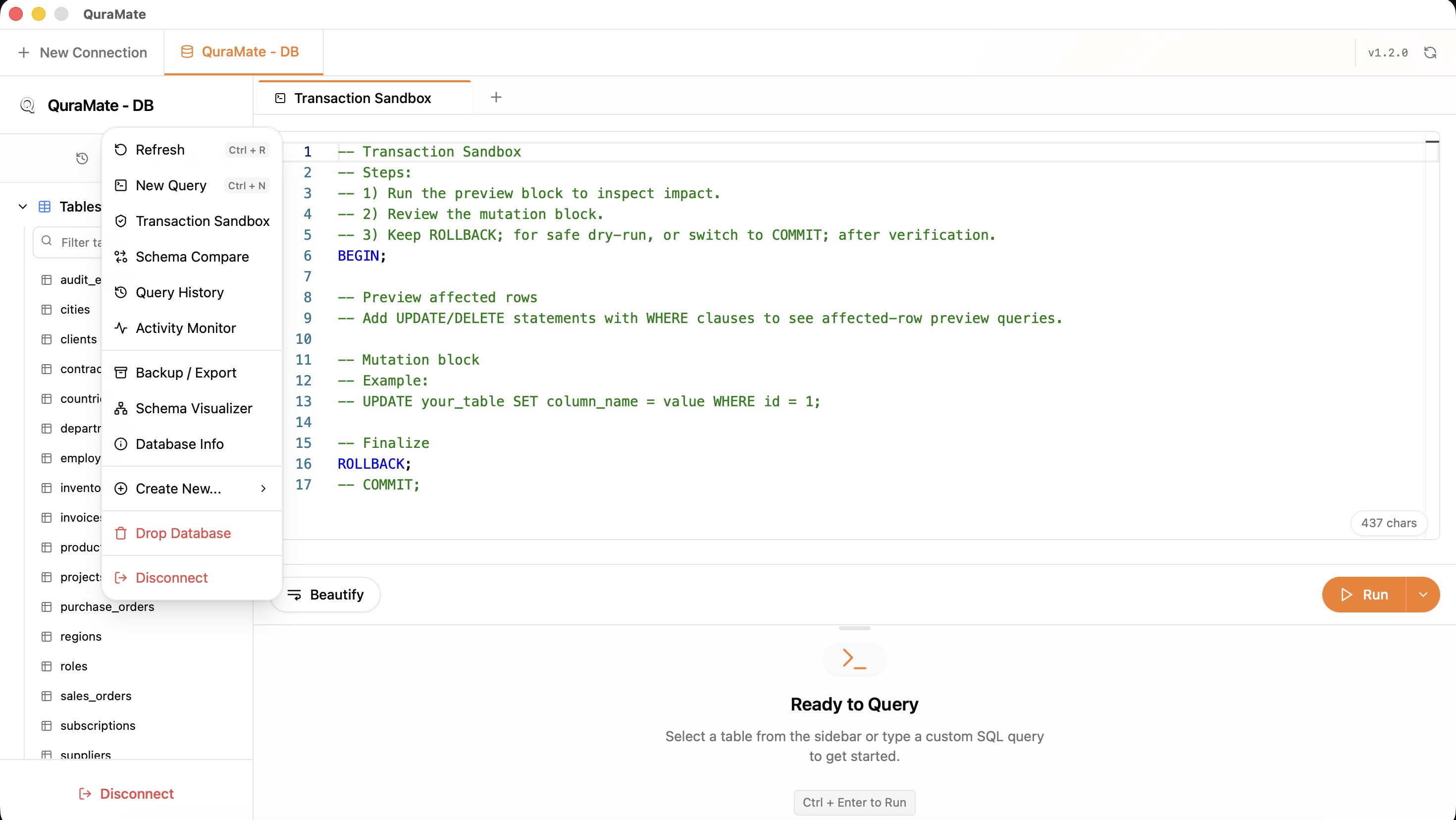
QuraMate generates a guided template with:
BEGIN;(orBEGIN TRANSACTION;on SQL Server)- A preview block that estimates affected rows for
UPDATE ... WHERE ...andDELETE ... WHERE ... - Your mutation block
- Safe finalize step with
ROLLBACK;(orROLLBACK TRANSACTION;) and optionalCOMMIT
Follow The Sandbox Sequence
Use this sequence every time:
- Run the preview affected rows block first.
- Verify impacted rows and filter scope (
WHEREclause). - Run the mutation inside the same transaction.
- Keep
ROLLBACKfor dry-run until data checks pass. - Switch to
COMMITonly when verification is complete.
Dialect-Aware Finalization
Transaction keywords are aligned per engine:
- PostgreSQL / MySQL / MariaDB style:
BEGIN;,COMMIT;,ROLLBACK; - SQL Server style:
BEGIN TRANSACTION;,COMMIT TRANSACTION;,ROLLBACK TRANSACTION;
Safe Edit Guardrails
- Prefer scoped writes with explicit primary key or narrow predicates.
- If no
WHEREexists, stop and validate intent before running. - Keep read-only during exploration, then escalate to write only for the final execution window.